

Dynamic TV. More Fun.
Sehweil OS provides dynamic TV feature to your TV giving you a rich experience of watching your movies and shows, LED strip is installed behind the TV and changes light based on the content playing.*
-- Dynamic TV feature will be available in Sehweil OS 1.0.
-- LED lights used for dynamic TV must be supported by Sehweil OS (BT and ZigBee are supported).

Easy control straight out of your pocket.
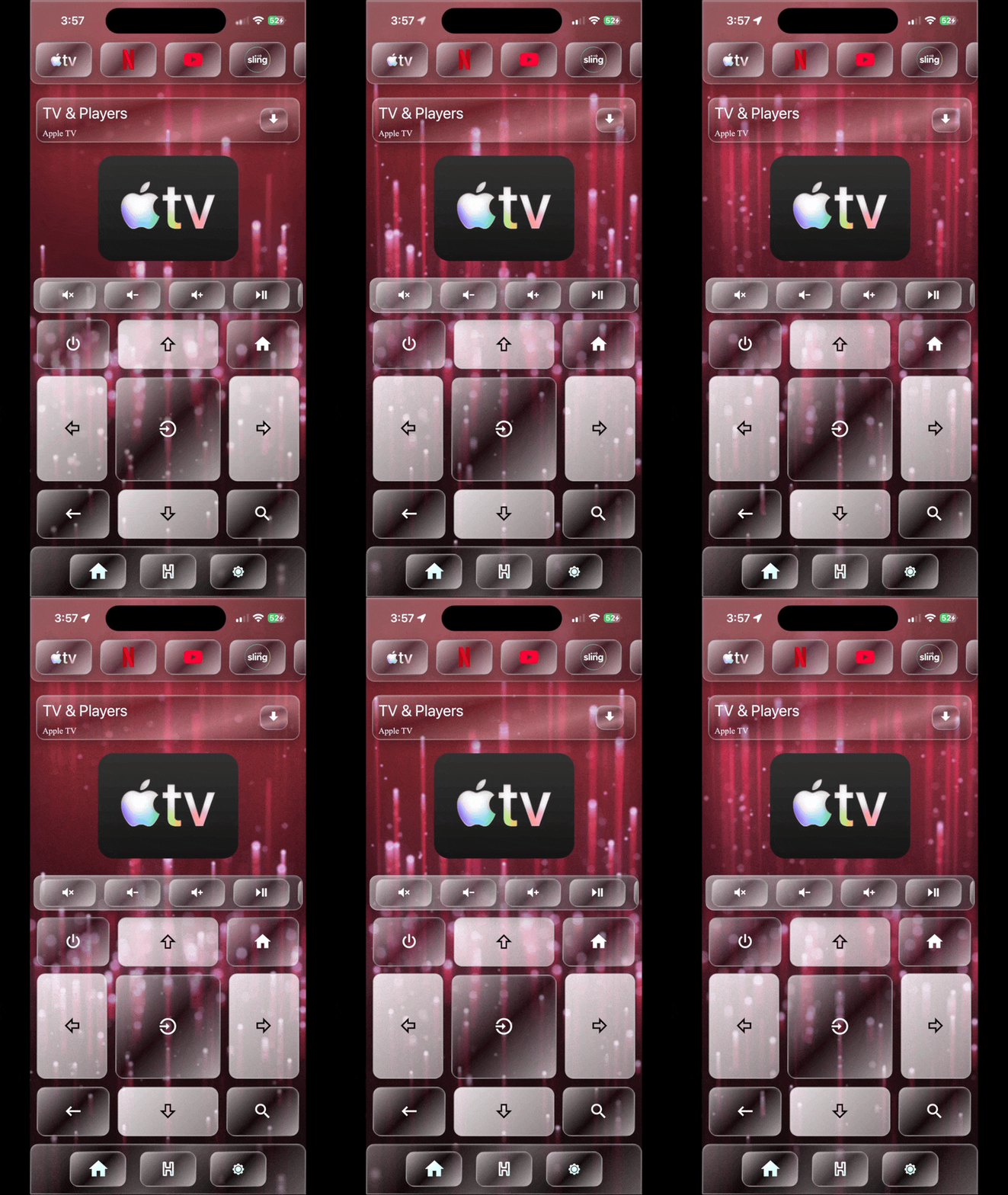

Sehweil PWA makes controlling your TV easy simple and always accessible, all you have to do is reach your pocket pull your phone up and open Sehweil PWA and control your tv. *
-- Controlling TVs can be done after adding your TV to Sehweil OS Click here to learn how to add your TV.
-- This feature only work with supported TVs click here to check if your TV is compatible.
-- Controlling capabilities in Sehweil PWA and HIND varies based on TV support.
Don't get of the couch.

Stay cozy and don't get up of the couch, Sehweil PWA makes life easier for you, just reach out your pocket, pick up your phone and raise up or pull down your shutters.
What happens in your home stays in your home.

Because what happens in your home should stay in your home, Sehweil Smart Home is locally oriented you can add your bluetooth, zigbee or your local wifi smart shutter and the entire process happens within your home border without leaking any of your data.
Turn your TV to a BIG media speaker.

Want to listen to music but don't have BIG speaker to enjoy your music? Sehweil OS makes that possible for you, now you can play your favorite music and jam it on your TV.*
-- Controlling TVs can be done after adding your TV to Sehweil OS Click here to learn how to add your TV.
-- This feature only work with supported TVs click here to check if your TV is compatible.
-- Controlling capabilities in Sehweil PWA and HIND varies based on TV support.


_svg.png)


_edited.png)


.png)


.png)


_svg.png)


How to add you TV?



From home screen go to settings icon in bottom bar.


Click on add integration under Sehweil OS.

Search for your TV brand.

Enter your TV IP address and click next.
How to get your TV IP address?
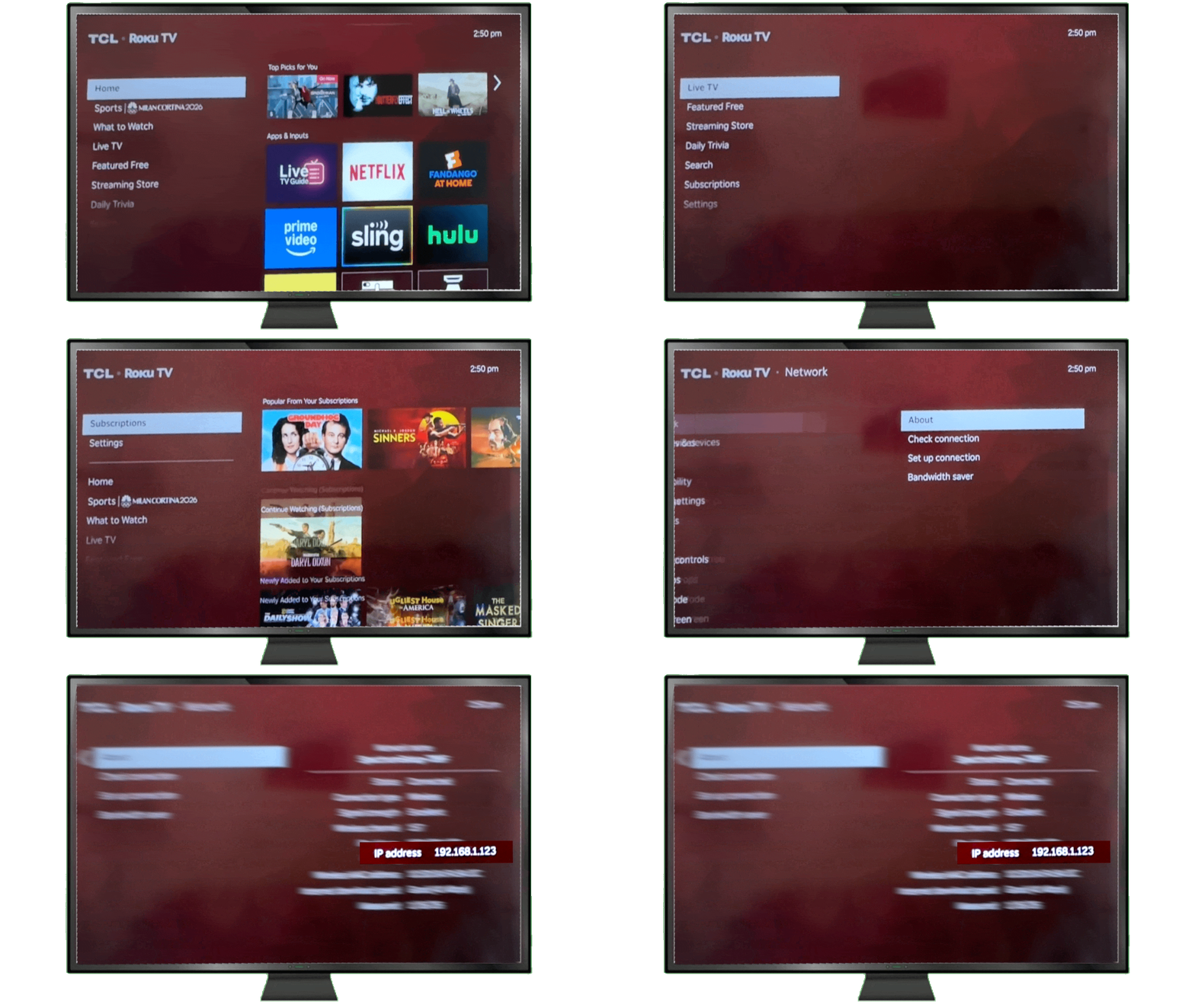
Simply go to your TV settings, navigate to network section in settings and then find the TV IP address.
-- Getting the IP address defer by TV brand.
--Some TVs can be added without the IP address just leave the IP address input empty and click next.
Automate your HOME.


Automation makes your life easier, but it also make you control the level of security and utilization of you home.
Craft your home the way the designer in you wish

Design your smart home appliances and smart devices to work the best to make you comfortable.
Create a new day routine in Sehweil way.

Create your daily routine with Sehweil Smart Home in way that will give a new magical experience of controlling you home. *

Sehweil automation saves you money.
Creating automation with Sehweil Smart Home saves you money by deactivating the device when you are not using it. *
-- Your daily routine with sehweil automation means the ability to control your SMART home devices .
-- Power consumption varies based on the automation efficiency.
Bring life to your home.

ehweil
Scene
Sehweil scenes make your life easier by handling repetitive tasks for you. They save time, reduce effort, and help everything run smoothly in the background, so you can focus on what really matters instead of doing the same things over and over.
Let the lights dance with you.

Sehweil OS 1.0 will come with the dancing light feature. Dancing light are bascily lights changing colors based on the music you are playing.*
Fixed scenes for easier life


Night time
Movie

Arriving

Leaving
Creating scenes in the Sehweil app is effortless and flexible. You can combine multiple devices and settings into a single scene that matches your mood or routine, then activate everything at once with a tap or a voice command. Whether it’s setting the perfect lighting for the evening or preparing your home for leaving or arriving, scenes make it easy to personalize your space and keep everything working together smoothly.*
style your life with Sehweil scenes.
Sehweil OS now give you the chance to start crafting home scenes based on your preferences with total control of your home routine without anyone knowing your daily routine because Sehweil OS is totally private and local it stays in your home.

-- Dancing light feature is going to be available in Sehweil OS 1.0 .
-- Fixed scenes are optimized to work native with hind other scenes can be activated by hind but are not fully optimized.